OPERATIONS GUIDE / 01-08
Image2 Guide
Start with an existing gateway Base URL and API key, then turn natural-language goals, references, paid calls, and generated versions into an inspectable desktop workflow.
STEP / 01
Install the desktop build
Download the package for your system only from GitHub Releases. Current builds are unsigned, so macOS or Windows may show a security warning. Verify the filename and SHA256SUMS on the release page before continuing.
STEP / 02
Connect an OpenAI-compatible gateway
The first launch opens Gateway settings. Enter the HTTPS Base URL, API key, agent protocol, agent model, and image model. The default image model is gpt-image-2; the agent and image calls use the same Base URL and key.
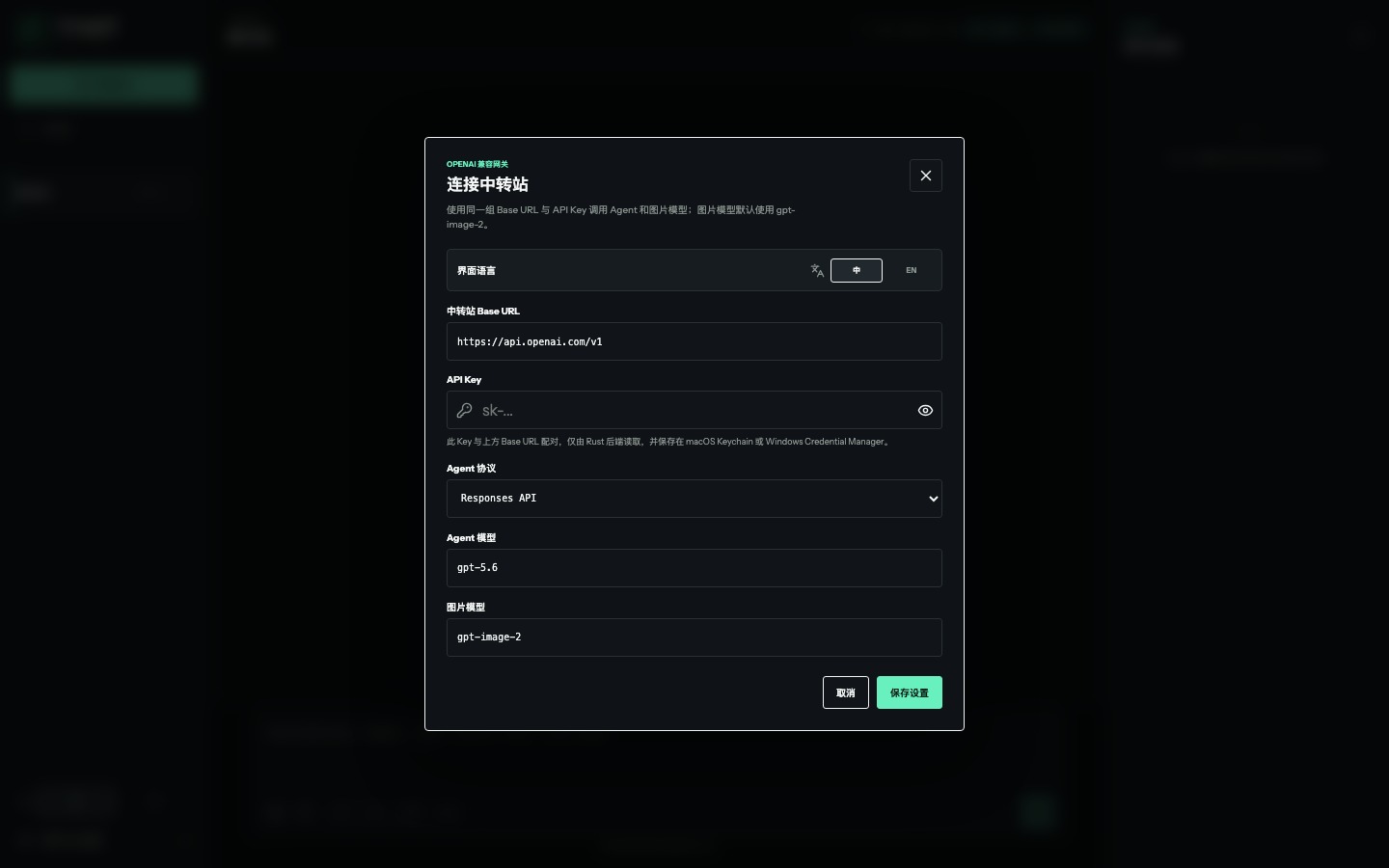
- BASE URL
- Remote gateways must use HTTPS; only localhost may use HTTP.
- API KEY
- The Rust backend stores it in macOS Keychain or Windows Credential Manager.
- PROTOCOL
- Choose Responses API or Chat Completions to match the gateway.
- MODEL
- Use the exact model names made available by the gateway.
STEP / 03
Generate the first image
State the subject, use, aspect ratio, visual direction, and invariants. The agent proposes image tasks first. Review titles, prompts, dimensions, and reference relationships before the tasks enter the queue.
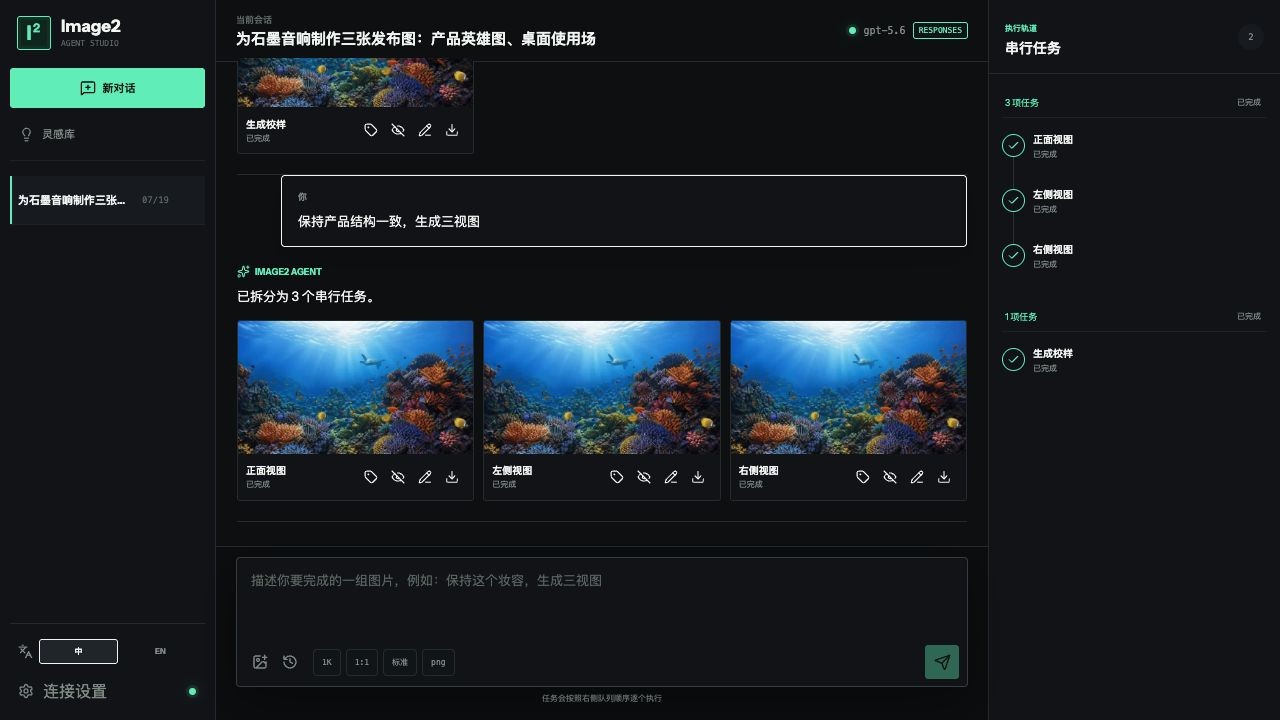
Create a square product photograph of an unbranded black desktop speaker.
Use a mineral plinth and restrained cyan edge light. No copy, logo, or watermark.
STEP / 04
Give every reference one job
Do not say only “use these references.” Identify which image controls identity, product structure, pose, composition, material, palette, or style, and state the priority when references conflict.
- Identity: preserve facial structure, age, hair, and distinctive features.
- Structure: preserve product proportions, component placement, and buildable relationships.
- Composition: transfer position, camera direction, and negative space only.
- Style: transfer light, color, and medium without replacing the subject.
STEP / 05
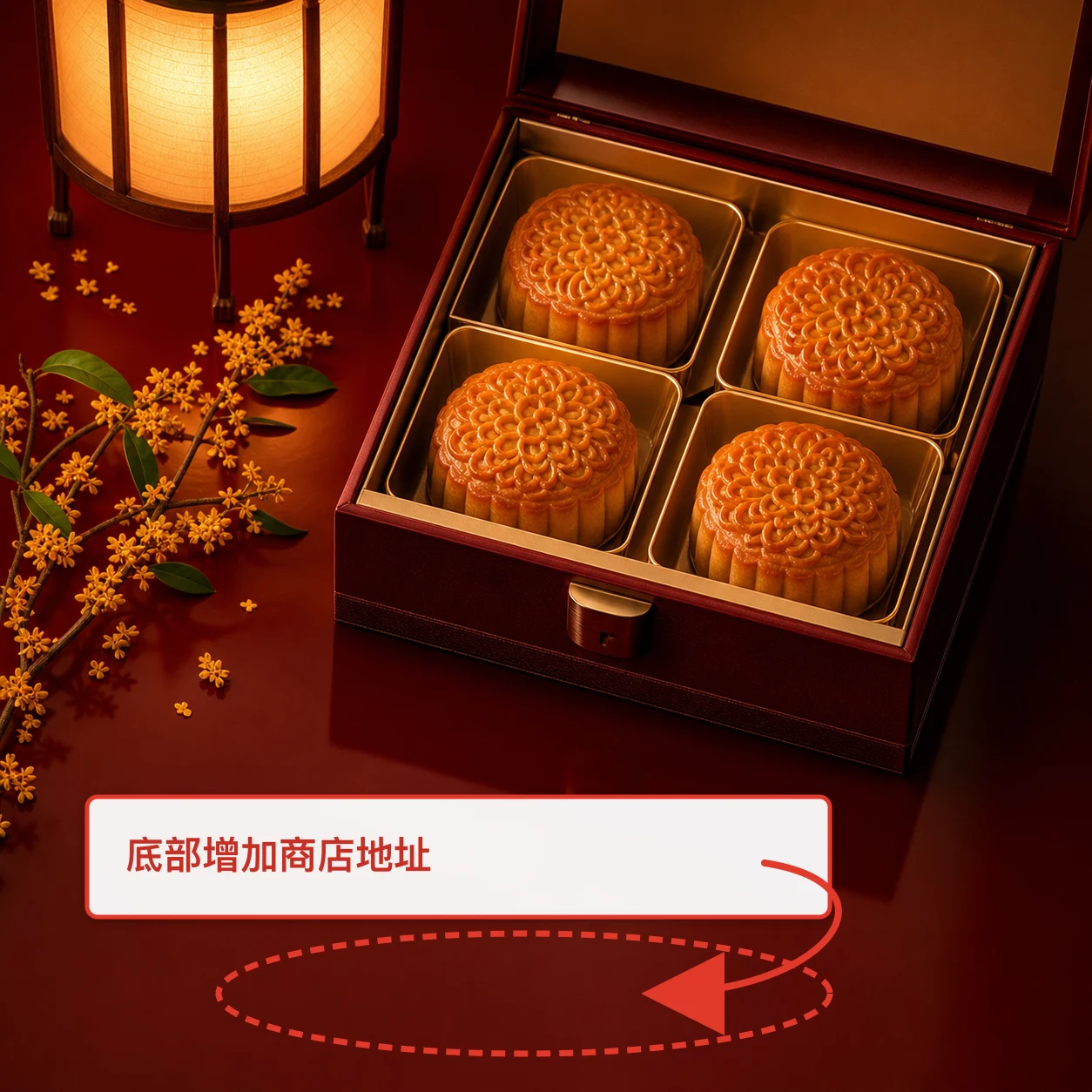
Constrain local changes with annotations
Continue from an existing version and mark only the area that should change with points, boxes, arrows, or paint. Annotations are location instructions, not output content; everything outside them should stay stable.
STEP / 06
Keep paid calls strictly serial
Image2 runs one image task at a time. Stop prevents the next task from starting; resume continues from the waiting item. Failed tasks retain parameters and errors so you can check quota, model names, and endpoint support before retrying.
STEP / 07
Continue from any version
Every result keeps its parent relationship. Rename a version, hide an unused result, branch from an older image, or place the current version back into the edit context. Hiding does not break files or lineage.
STEP / 08
Troubleshoot the failing stage
- 401 / 403
- Check the key, gateway permission, and model access. Never paste the key into a web page or Issue.
- 404
- Check the Base URL, its
/v1path, and whether the chosen protocol endpoint exists. - 429
- Wait for quota to recover. Keep execution serial instead of opening parallel windows.
- INVALID JSON
- The agent response did not match the task contract. Switch to a supported model or protocol.
If this happened in Codex and the image was generated but is not visible, not saved, or has no saved_path, follow the Codex image display and save troubleshooting guide stage by stage.
Use GitHub Issues for public bug reports. Include reproducible steps and redacted errors, never keys, full gateway responses, or private images.